Spring Cleaning Your Linux Mint:
A Complete Guide to Free Up Space and Boost Performance


Is your Linux Mint system starting to feel sluggish? Running low on disk space? Just like a physical workspace, our digital environments need regular cleaning to maintain optimal performance. In this comprehensive guide, I’ll walk you through step-by-step instructions to clean up your Linux Mint system and get it running like new again.
Why Regular System Maintenance Matters
Over time, your Linux system accumulates:
Unused packages and dependencies
Old kernel versions
Cache files and temporary data
Log files that grow indefinitely
Orphaned configuration files
Regular cleanup not only frees up valuable disk space but can also improve system stability and boot times.
Step-by-Step Cleanup Guide
1. Start with System Updates
bash
sudo apt update && sudo apt upgrade -yAlways begin with updating your system to ensure you’re working with the latest packages and security patches.
2. Remove Unnecessary Packages
bash
sudo apt autoremove --purge
sudo apt-get autoclean
sudo apt-get clean
These commands remove unused dependencies, clean the package cache, and delete downloaded .deb files that are no longer needed.
3. Manage Kernel Versions
Check your installed kernels:
bash
dpkg --list | grep linux-imageYou’ll typically see output like:
text
ii  linux-image-5.15.0-133-generic
ii  linux-image-5.15.0-134-generic
ii  linux-image-generic
What to keep:
Keep the newest kernel (highest version number)
Keep one older kernel as a backup
Never remove the
linux-image-genericmeta-package
To remove an old kernel:
bash
sudo apt remove --purge linux-image-5.15.0-133-generic
sudo update-grub
4. Clean Up Log Files
bash
sudo journalctl --vacuum-time=7dThis removes log files older than 7 days. Adjust the timeframe based on your needs.
5. Clear Temporary Files
bash
sudo rm -rf /tmp/*
sudo rm -rf /var/tmp/*
6. Clean User Cache and Thumbnails
bash
rm -rf ~/.cache/thumbnails/*
# Be careful with config files:
# rm -rf ~/.config/*
7. Analyze Disk Usage
bash
sudo apt install ncdu
ncdu /
This fantastic tool helps you visualize what’s taking up space on your drive.
Advanced Cleaning Tips
For SSD Users
If you’re using an SSD, run TRIM periodically:
bash
sudo fstrim -avUsing BleachBit (GUI Option)
For those who prefer graphical tools:
bash
sudo apt install bleachbitBleachBit provides a user-friendly interface for system cleaning, but use advanced options with caution.
Manage Startup Applications
Open Startup Applications from your menu and disable programs you don’t need launching at boot time.
Safety First: What NOT to Do
Don’t remove all but one kernel - always keep a backup
Don’t blindly delete system files - know what you’re removing
Don’t remove the
linux-image-genericpackage - it manages kernel updatesBe cautious with
~/.config/- it contains your application settings
Creating a Maintenance Schedule
Consider setting up regular maintenance:
Weekly: Clear cache and temporary files
Monthly: Remove unused packages and clean logs
After major updates: Review and remove old kernels
Final Steps
After completing your cleanup, reboot your system:
bash
sudo reboot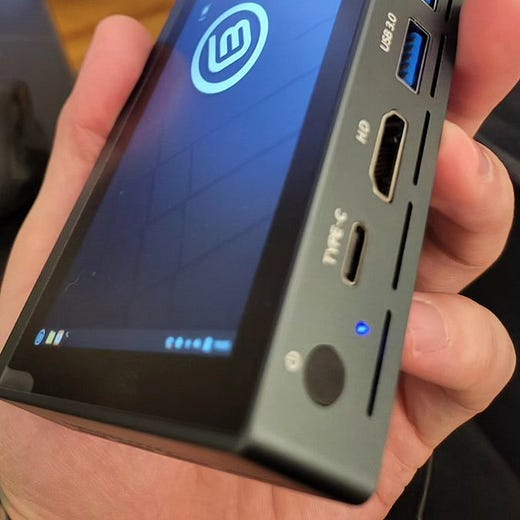
Conclusion
Regular system maintenance is key to keeping your Linux Mint installation running smoothly. By following this guide, you can reclaim disk space, improve performance, and ensure your system remains stable.
Remember: The goal isn’t to remove everything possible, but to maintain a clean, efficient system while keeping necessary safety backups.
Pro tip: You can create a bash script combining these commands (excluding the destructive ones) to make future cleanups even easier!
Have questions or additional tips? Share them in the comments below!


📄 Legal Documents & Templates
Link: legal-templates.ihfo.net/19PZLz
What it is: A service for creating attorney-drafted legal forms (contracts, leases, wills) in minutes.
Why I recommend it: Saves thousands compared to a lawyer. I use it for my own blog contracts.
💻 Lenovo India (Official Store)
Link: lenovo-in.zlvv.net/AP3OX1
What it is: The official Lenovo India online store for laptops, PCs, tablets, and gaming gear.
Why I recommend it: Full warranty, genuine products, and often the best prices on IdeaPad, ThinkPad, and Legion series.
📦 Easyship – Shipping Platform
Link: easyship.ilbqy6.net/7am4Ry
What it is: An all-in-one platform that automates domestic and international shipping for businesses.
Why I recommend it: Compares 250+ carriers, automates customs and duties, and saves time and money on logistics.
🌿 Trusted CBD Wellness Brand
Link: imp.i295461.net/LKAXaj
What it is: One of the original, high-quality CBD brands for wellness and self-care products.
Why I recommend it: A pioneer in the space focused on purity and effectiveness. My go-to for reliable CBD.
Note: These statements have not been evaluated by the FDA. This product is not intended to diagnose, treat, cure, or prevent any disease.
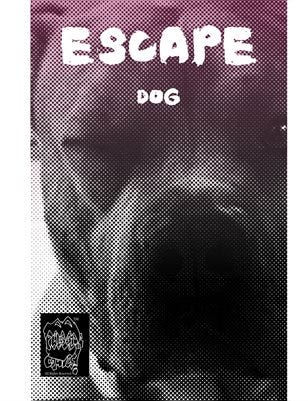
Escape Dog
By Daniel Brummitt in Philososaur Comics!
16 pages, published 6/30/2025
Belle isn’t just a bad dog—she’s a legend. After busting out of the Barkwood Asylum for Canine Anarchists (framed for ‘excessive tail wagging’ and ‘unauthorized snack theft’), this four-legged fugitive goes on the run, battling sinister nurses, leaping off rooftops, and embracing her destiny as the world’s most chaotic escape artist. Her only goal? Get back to her equally disgraced master, Hobo Hogan, a washed-up wrestler living in a duct-taped…